Learn to Read - Duolingo ABC
DuolingoEducation
4.0933.00 Reviews
- Version
- 1.25.1
- Installs
- 10.00M
- Age Rating
- Everyone
Screenshots
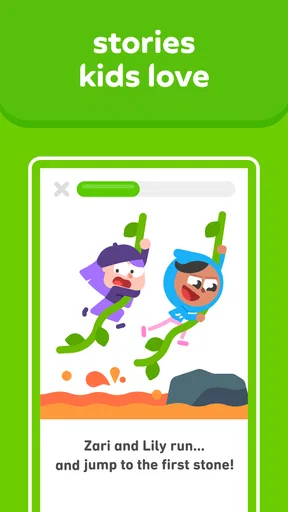
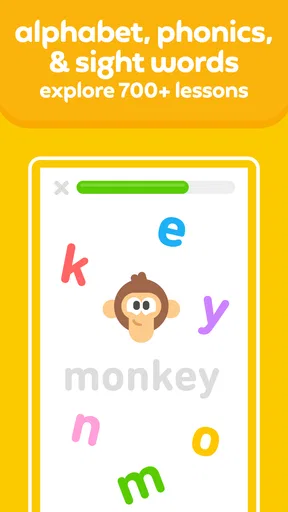
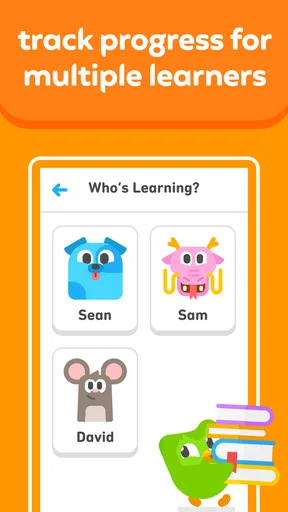
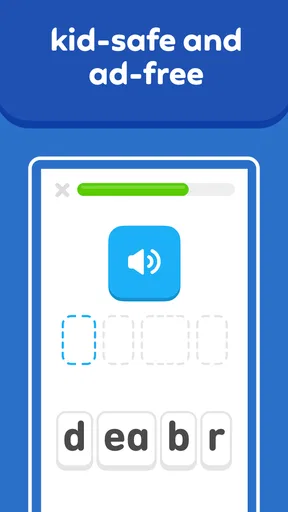
Our Review of Learn to Read - Duolingo ABC
 Analysis by Appyee
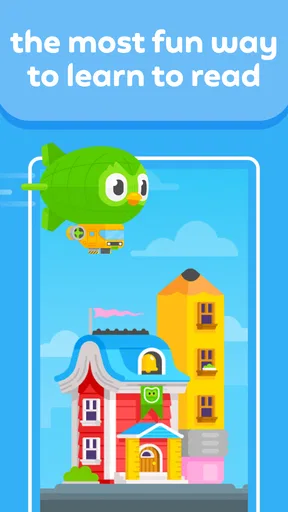
I spent time with Learn to Read - Duolingo ABC as a parent-focused education app, and my first impression was that it understands an important truth about early reading: short, playful practice is usually easier for a young child to accept than a formal lesson. It is made by Duolingo and belongs to the education category, with activities aimed at children from three to eight years old. The app’s central job is to introduce reading through phonics and simple learning games rather than asking a child to sit through a traditional workbook session.
That makes it a very different experience from the regular Duolingo language-learning app. This is not a tool for learning Spanish, French, or another spoken language. It is focused on the foundations of reading, so the useful question is whether its game-like approach fits your child’s age, attention span, and current confidence with letters and sounds. In my experience, it works best as a friendly practice companion, not as a complete replacement for reading together, school instruction, or a proper assessment of learning difficulties.
How the app feels in everyday use
The first thing I noticed is how deliberately the experience is aimed at young learners. The lessons are presented as small activities instead of a long block of instruction, which makes it easier to use during a quiet moment at home. A child can work through a little practice before breakfast, after school, or while waiting for an appointment without the session feeling like extra homework.
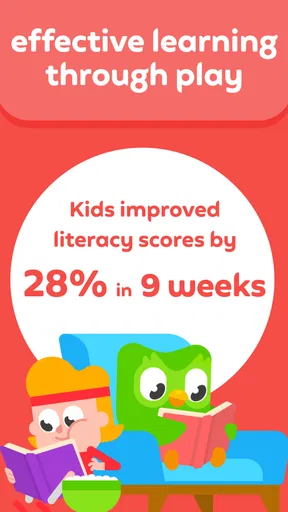
The playful format is especially useful for children who resist worksheets. When a child is still building confidence, a mistake in a game can feel less serious than a wrong answer written in a book. That emotional difference matters. Early reading involves repeated attempts, and an app that makes repetition feel ordinary can help a child keep trying instead of deciding that reading is “too hard.”
I would still sit nearby during the first few sessions. Young children may tap quickly, guess from pictures, or continue through an activity without really listening to the sounds. Watching for those habits lets an adult slow the child down and ask a useful question such as, “Which sound did you hear first?” The app can provide practice, but a parent or teacher supplies the conversation and encouragement that turn tapping into learning.
Phonics practice is the main reason to try it
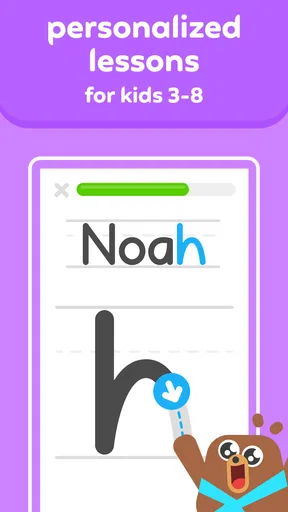
The emphasis on phonics gives the app a practical place in a child’s routine. Instead of relying only on memorizing whole words, phonics practice encourages children to connect letters and sounds. That connection is one of the building blocks a beginner needs before reading becomes smoother. I found this more useful than activities that simply ask a child to recognize a word without showing how its parts work.
A good way to use it is to follow the app with a very short offline activity. If the lesson focuses on a particular sound, look for that sound in a picture book, on a cereal box, or in a child’s name. This does not require another educational product. It simply helps the child notice that the skill from the screen also appears in real life. That small bridge between app practice and printed words is one of the easiest ways to make the time feel worthwhile.
Another helpful routine is to stop while the child is still engaged rather than pushing through a tired session. The app’s game-like design may encourage a child to continue, but more screen time is not automatically better learning. A short, attentive session followed by a story read aloud can be more valuable than a long stretch of distracted tapping.
What the free price means for families
Learn to Read - Duolingo ABC is free, so there is no purchase price to weigh against the basic learning experience. That makes the decision less about whether the app is cheaper than a workbook and more about whether it earns a place in your child’s routine. For families testing different reading supports, free access lowers the risk of trying it and deciding that the teaching style is not a good match.
I would describe the value as practical rather than unlimited. A free app can offer convenient practice, but it does not remove the need for books, adult guidance, or feedback from a teacher when a child is struggling. The strongest value comes when it fills a specific gap: a few minutes of phonics reinforcement, a low-pressure activity during a transition, or an alternative for a child who needs more repetition than a busy adult can always provide.
The app has a 4.0 average from roughly 23 thousand ratings, and it has passed 10 million installs. Those figures suggest that it has reached a substantial audience, but they should not be treated as proof that it will suit every learner. A popular children’s app can still be the wrong choice for a child who needs slower instruction, more tactile activities, or direct help with speech and language.
It is also rated for Everyone, which fits its intended audience, but an age rating is not the same as a promise that every child will use the app independently. A three-year-old and an eight-year-old can have very different needs. Younger children are likely to need more supervision and help interpreting instructions, while older beginners may find some activities too simple if they already read short books comfortably.
Small habits that make the lessons more effective
I would create a predictable reading routine around the app instead of presenting it as an emergency distraction. For example, a child might complete one short practice activity and then choose a physical book. The order can also work in reverse: read first, then use the app to revisit a sound that appeared in the story. The important point is that the digital activity should support reading, not become the only reading experience.
It helps to ask the child to explain an answer occasionally. If the child selects a letter sound correctly, ask how they knew. If they make a mistake, avoid immediately giving the answer; repeat the sound slowly and let them try again. This turns the app from a response machine into a prompt for thinking. It also reveals whether the child understands the lesson or is simply learning which part of the screen to tap.
For children who become frustrated easily, I would keep the adult’s role deliberately calm. Do not turn every mistake into a correction. Pick one thing to discuss, celebrate an honest attempt, and move on. The app’s playful presentation is most helpful when the surrounding atmosphere stays encouraging. If a parent becomes focused on completing every activity perfectly, the child may start associating reading practice with pressure.
Where it compares well with ordinary alternatives
Compared with flashcards, the app can feel more active and less repetitive because the child interacts with the lesson rather than only looking at a printed card. Compared with a workbook, it may be more inviting for a reluctant learner and easier to use when you do not have a table, pencil, or prepared activity nearby. Those are real conveniences, especially for families managing several children or irregular schedules.
Printed books still do things the app cannot. They show how pages work, give children a reason to follow a longer sequence, and build comfort with physical text. A parent can also adjust the pace instantly, point to a word, return to a difficult sentence, or choose a story that matches a child’s interests. For that reason, I would place this app beside books rather than above them.
A teacher, reading specialist, or speech-language professional is a better option when the concern is not simply lack of practice. If a child consistently cannot hear differences between sounds, avoids speaking, or makes little progress despite regular support, more screen-based exercises may not address the real issue. The app can reinforce instruction, but it should not be used to diagnose a learning problem or to delay asking for human guidance.
Tradeoffs parents should consider before relying on it
The game format is both the app’s main strength and its main limitation. It can motivate a child to begin, but the child may focus more on finishing an activity than understanding the reading idea behind it. This is why occasional supervision matters. I would not assume that a child who moves quickly through several screens has mastered the sounds being practiced.
Another tradeoff is flexibility. An adult with a book can immediately change the example, simplify a word, or spend five minutes on one confusing sound. An app follows its own prepared path, which is convenient but less responsive. If your child needs a very customized sequence, the app may feel restrictive compared with one-to-one teaching or a carefully chosen workbook.
There is also a difference between practicing isolated skills and becoming a confident reader. Phonics is important, but reading eventually involves vocabulary, comprehension, stamina, and enjoyment of meaning. A child can recognize letter sounds and still need lots of shared reading to understand what sentences are saying. I would judge the app by whether it supports those broader habits, not by whether it keeps a child occupied.
The current version is 1.25.1, and it runs on devices using Android 5.1 or later. That makes it accessible on some older Android hardware, which is useful for families who do not want to dedicate a new phone or tablet to children’s learning. Before setting it up for a child, I would still check that the device is comfortable for small hands and that an adult can supervise the session without handing over a personal phone full of unrelated distractions.
Who is most likely to get real value
I think the best match is a preschool or early-primary child who is beginning to connect letters with sounds and enjoys brief interactive tasks. It can also suit a child who needs extra repetition after school but becomes bored by handwriting pages. Families with limited time may appreciate having a ready-to-use activity for a short daily routine, especially when an adult can follow it with a physical book.
It is less suitable as the main tool for an advanced reader. An eight-year-old who already reads comfortably may outgrow the introductory focus and prefer stories, comprehension challenges, or writing practice. It is also not the ideal first choice for a child who dislikes screens, learns best through movement and physical objects, or becomes overstimulated by game-like rewards.
I would skip it, or at least treat it as a minor supplement, if your family is looking for a full reading curriculum with detailed progress reporting, individualized teaching, or a clear intervention plan. The free price makes experimentation easy, but free access does not turn a general educational app into a specialist service. In that situation, books selected with a teacher or direct tutoring would probably deliver more targeted value.
My recommendation after weighing the value
My overall view is positive, with sensible limits. Learn to Read - Duolingo ABC is a useful free option for introducing phonics and making early reading practice feel approachable. I especially like it as a bridge between formal lessons and everyday reading: a child can practice a small skill in the app, then notice that same sound in a story or around the home.
I would recommend trying it when your child is in the early stages of reading, enjoys interactive learning, and has an adult available to guide the routine. Keep sessions short, ask the child to explain answers, and pair the app with books rather than replacing them. Those choices make a bigger difference than simply opening the app and hoping the game format does all the teaching.
My final verdict is to try it if you want a low-cost, low-pressure supplement and your expectations are realistic. The developer, Duolingo, has made an approachable entry for young learners, but the app is not a substitute for a parent’s questions, a teacher’s judgment, or the experience of reading real books. Its best value is as a convenient phonics practice tool, not as the whole path to becoming a reader.
Verdict
Strengths of Learn to Read - Duolingo ABC
- Short lessons make daily reading practice easy to fit into busy routines.
- Phonics activities help children connect letters with their sounds.
- Progress tracking lets parents monitor completed lessons and achievements.
- Offline access supports learning during travel or without a stable connection.
- Playful animations and rewards can keep early learners motivated.
Limitations of Learn to Read - Duolingo ABC
- Some activities may feel repetitive after extended use.
- The app is mainly designed for beginners, limiting value for advanced readers.
- Children may need adult guidance to understand certain instructions.
- Progress features may not replace a structured reading curriculum.
- Device storage and battery use can increase with downloaded lessons.
Other Releases by Duolingo
View All
Duolingo: Language Lessons
Education4.7
Similar Picks in This Category
View AllDuolingo: Language Lessons
Duolingo4.7

Google Classroom
Google LLC2.8

Unacademy: Learn & Crack Exams
Unacademy3.2

Bible App for Kids
Life.Church4.4

Cake - Learn English & Korean
Cake Corp.4.7

Brainly: AI Homework Helper
Brainly4.5
Frequently Asked Questions
What is Learn to Read - Duolingo ABC?
Learn to Read - Duolingo ABC is an early-literacy app designed to help young children build foundational reading skills through short, interactive lessons. It introduces letters, phonics, sounds, vocabulary, handwriting practice, and simple words using colorful activities and child-friendly exercises. The app is intended for beginners, including children who are just learning the alphabet or starting to connect letters with sounds.
Is Learn to Read - Duolingo ABC suitable for my child’s age and reading level?
The app is primarily aimed at preschool and early elementary-school children who are beginning to learn how reading works. Its activities generally start with basic alphabet recognition and gradually move toward phonics, word formation, and early reading practice. Children develop at different speeds, so parents should explore the lesson difficulty and decide whether the content matches their child’s current abilities and attention span.
Does Learn to Read - Duolingo ABC require an internet connection?
An internet connection may be needed to download the app, access updates, synchronize progress, or load certain content. Some lessons or activities may remain available after installation, but offline availability can depend on the device and the app’s current version. Before traveling or giving the device to a child without internet access, parents should open the app and confirm which lessons work offline.
Is Learn to Read - Duolingo ABC free, and does it include in-app purchases?
The app can generally be downloaded without an upfront charge, but availability of features, content, or optional subscriptions may vary by platform, region, and current store policies. Parents should check the Google Play Store or Apple App Store listing for the latest pricing details before downloading. If in-app purchases are offered, parental controls and purchase authentication are recommended to prevent accidental transactions.
Is Learn to Read - Duolingo ABC safe and useful for independent learning?
Learn to Read - Duolingo ABC is designed with children in mind, offering short lessons, simple instructions, and an engaging visual style that can support independent practice. However, younger learners may still need help understanding instructions, staying focused, or correcting pronunciation and letter-sound mistakes. It works best as a supplement to reading together, conversation, handwriting practice, and guidance from a parent or teacher.
